Jean's Blog

一个专注软件测试开发技术的个人博客

0%

Python文件操作11个案例总结

我们先了解下Python文件IO的常用操作:

  • 涉及文件读写操作
  • 获取文件后缀名
  • pil修改后缀名
  • 获取文件修改时间
  • 压缩文件
  • 加密文件等常用操作

案例一:文件读操作

文件读、写操作比较常见。但是在读取文件时,先要判断文件是否存在。处理如下:

  1. 若文件存在,则进行读取
  2. 若文件不存在,抛出文件不存在异常
1
2
3
4
5
6
7
8
9
10
import os


def read_file(file_name):
if os.path.exists(file_name) is False:
raise FileNotFoundError('%s not exists' % file_name)
f = open(file_name)
content = f.read()
f.close()
return content

试着读取一个文件:

1
2
# 读取文件
print(read_file('/Users/lvjing/Documents/Python学习.md'))

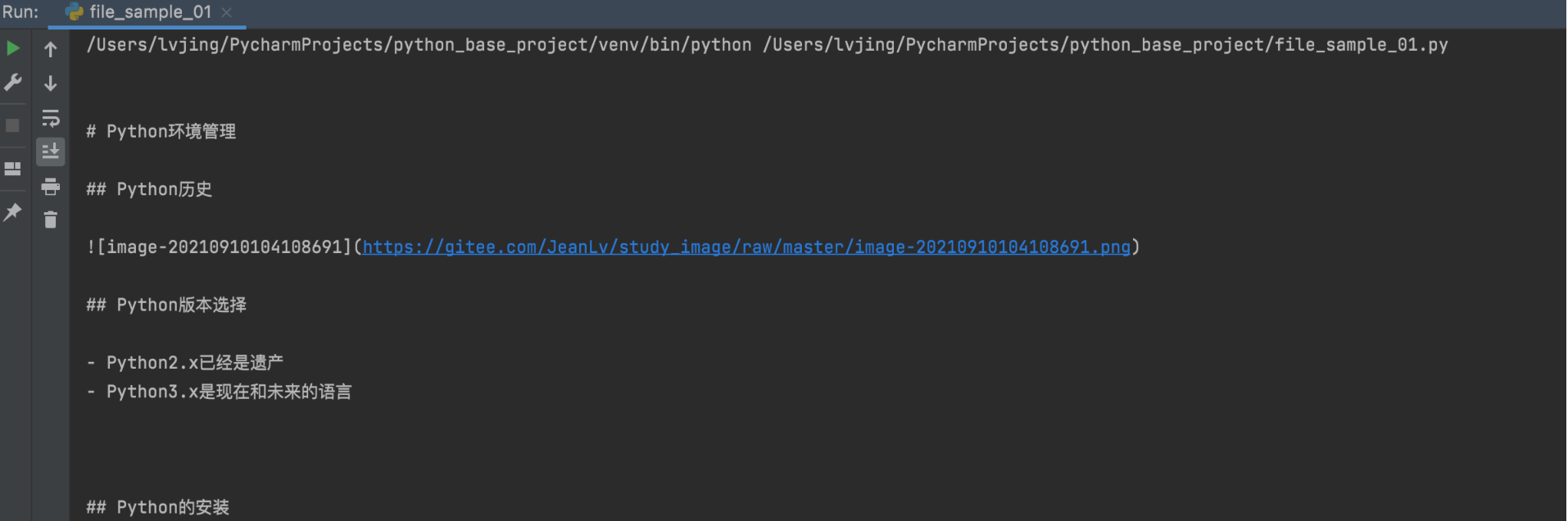
image-20220408154145963

可以正常读取文件内容了。但是,有时候我们在读取问题件,会报如下的错误:

1
UnicodeDecodeError: 'gbk' codec can't decode byte 0xaa in position 46: illegal multibyte sequence

从提示上看,是编码问题。open 函数打开文件,默认编码格式与平台系统有关,鉴于此,有必要在 open 时为参数 encoding 赋值,一般采用 UTF-8:

1
2
3
4
5
6
7
8
9
10
import os


def read_file(file_name):
if os.path.exists(file_name) is False:
raise FileNotFoundError('%s not exists' % file_name)
f = open(file_name, encoding='utf-8')
content = f.read()
f.close()
return content

代码打开文件的编码确认为 UTF-8 后,还需要确认,磁盘中这个文件编码格式也为 UTF-8。

上面代码中,文件在open后,一定要close掉,否在资源被打开,没有正常关闭,再次操作会报错的,这种写法有些繁琐,还容易出错。借助with语法,同时实现open和close功能功能,这是跟常用的方法。

1
2
3
4
5
6
7
8
9
import os


def read_file(file_name):
if os.path.exists(file_name) is False:
raise FileNotFoundError('%s not exists' % file_name)
with open(file_name, encoding='utf-8') as f:
content = f.read()
return content

案例二:文件按行读取

  • read函数一次读取整个文件
  • readlines函数按行一次读取整个文件

文件数据量小时,使用上面两个函数时没有问题的,但是,文件数据量大师,read或readlines一次读取整个文件,内存就会面临重大挑战。

  • readline函数一次读取文件一行内容,能解决大文件读取内存溢出问题

文件a.txt内容如下:

1
2
3
4
5
Hey, Python

I just love Python so much,
and want to get the whole Python stack by this 60-days column
and believe Python !

如下,读取文件 a.txt,r+ 表示读写模式。代码块实现:

  1. 每次读取一行。
  2. 选择正则 split 分词,注意观察 a.txt,单词间有的一个空格,有的多个。这些情况,实际工作中确实也会遇到。
  3. 使用 defaultdict 统计单词出现频次。
  4. 按照频次从大到小降序。
1
2
3
4
5
6
7
8
9
10
11
12
13
14
15
16
17
import re
from collections import defaultdict

rec = re.compile('\s+')
dd = defaultdict(int)
with open('/Users/lvjing/Documents/a.txt', 'r+') as f:
for line in f:
clean_line = line.strip()
if clean_line:
words = rec.split(clean_line)
for word in words:
dd[word] += 1
dd = sorted(dd.items(), key=lambda x: x[1], reverse=True)
print('--print stat--')
print(dd)
print('--words stat done--')

运行结果:

1
2
3
4
5
6
/Users/lvjing/PycharmProjects/python_base_project/venv/bin/python /Users/lvjing/PycharmProjects/python_base_project/file_sample_02.py
--print stat--
[('Python', 4), ('and', 2), ('Hey,', 1), ('I', 1), ('just', 1), ('love', 1), ('so', 1), ('much,', 1), ('want', 1), ('to', 1), ('get', 1), ('the', 1), ('whole', 1), ('stack', 1), ('by', 1), ('this', 1), ('60-days', 1), ('column', 1), ('believe', 1), ('!', 1)]
--words stat done--

Process finished with exit code 0

案例三:文件写操作

文件写操作时,首先也需要判断写入的文件路径是否存在。若不存在,通过mkdir创建出路径;否则,直接写入文件。

1
2
3
4
5
6
7
8
9
10
11
12
13
14
15
16
17
18
19
20
21
22
23
24
25
26
27
import os


def write_to_file(file_path, file_name):
if os.path.exists(file_path) is False:
os.mkdir(file_path)

whole_path_filename = os.path.join(file_path, file_name)
to_write_content = '''
Hey, Python
I just love Python so much,
and want to get the whole python stack by this 60-days column
and believe!
'''
with open(whole_path_filename, mode='w', encoding='utf-8') as f:
f.write(to_write_content)
print('----write done----')

print('----begin done----')
with open(whole_path_filename, encoding='utf-8') as f:
content = f.read()
print(content)
if to_write_content == content:
print('content is equal by reading and writing')
else:
print('----Warning: NO Equal----')

以上这段代码思路:

  • 路径不存在,创建路径
  • 写文件
  • 读取同一文件
  • 验证写入到文件的内容是否正确

代码执行

1
print(write_to_file('/Users/lvjing/Documents', 'b.txt'))

执行结果

1
2
3
4
5
6
7
8
9
10
11
12
13
/Users/lvjing/PycharmProjects/python_base_project/venv/bin/python /Users/lvjing/PycharmProjects/python_base_project/file_sample_03.py
----write done----
----begin done----

Hey, Python
I just love Python so much,
and want to get the whole python stack by this 60-days column
and believe!

content is equal by reading and writing
None

Process finished with exit code 0

我们可以看下到指定的目录,多了一个b.txt的文件,打开查看,是我们写入的内容。
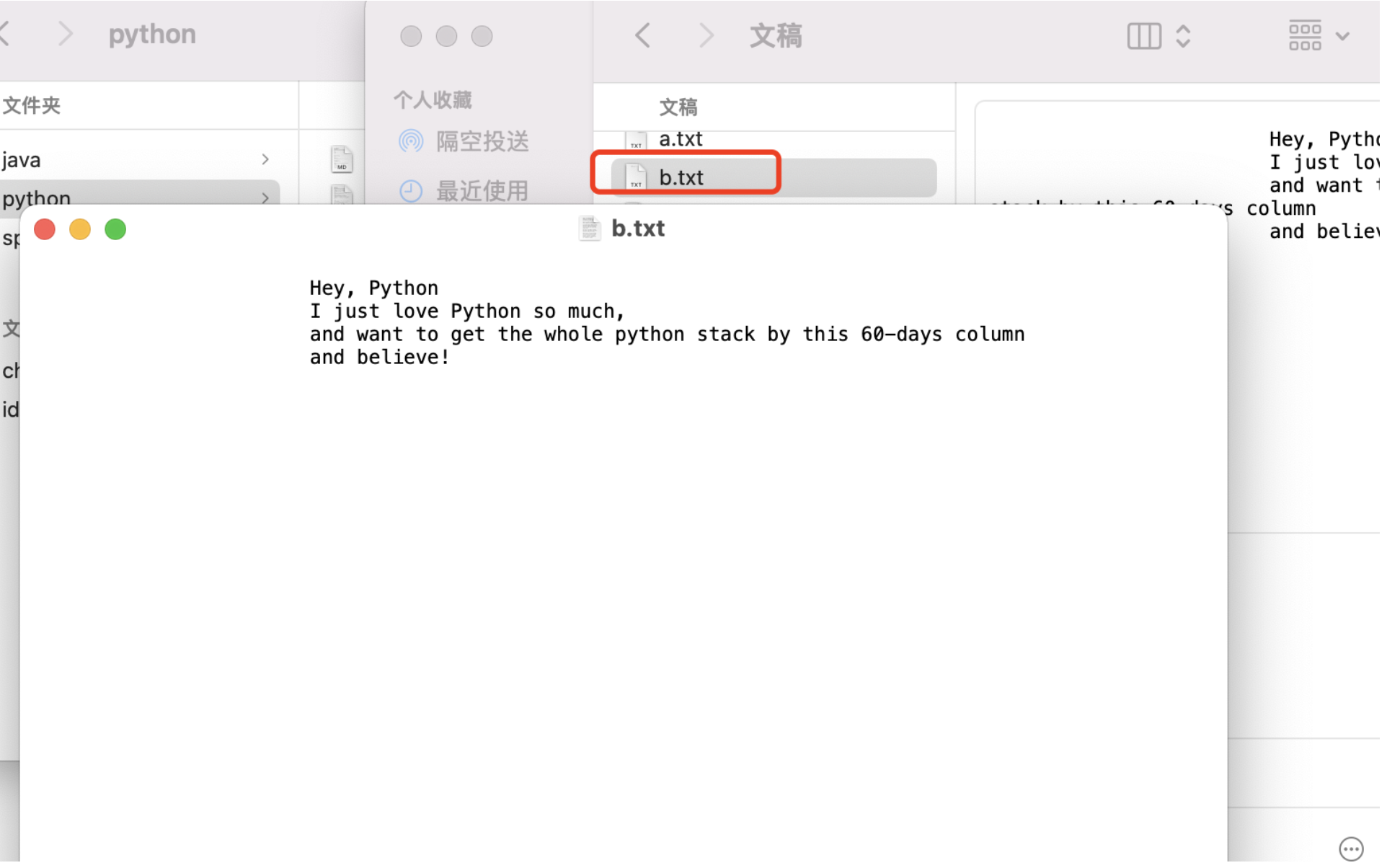
image-20220408154237322

案例四:获取文件名

有时拿到一个文件名时,文件名称是带有路径。这时,使用 os.path、split 方法实现路径和文件的分离。

1
2
3
4
5
6
7
8
import os

file_ext = os.path.split('./data/py/test.py')
ipath, ifile = file_ext

print(file_ext)
print(ipath)
print(ifile)

运行结果

1
2
3
4
5
6
/Users/lvjing/PycharmProjects/python_base_project/venv/bin/python /Users/lvjing/PycharmProjects/python_base_project/file_sample_04.py
('./data/py', 'test.py')
./data/py
test.py

Process finished with exit code 0

案例五:获取后缀名

如何优雅地获取文件后缀名?os.path 模块,splitext 能够优雅地提取文件后缀。

1
2
3
4
5
6
7
import os

file_extension = os.path.splitext('./data/py/test.py')

print(file_extension[0])
print(file_extension[1])

运行结果

1
2
3
4
5
6
/Users/lvjing/PycharmProjects/python_base_project/venv/bin/python /Users/lvjing/PycharmProjects/python_base_project/file_sample_05.py
./data/py/test
.py

Process finished with exit code 0

案例六:获取后缀名的文件

1
2
3
4
5
6
7
8
9
10
11
12
13
14
15
16
17
18
19
20
21
22
23
24
import os


def find_file(work_dir, extension='jpg'):
"""
获取指定文件后缀的文件名称
:param work_dir: 指定的查找目录
:param extension: 指定文件后缀名,默认:jpg
:return: 返货文件名集合
"""
lst = []
for filename in os.listdir(work_dir):
print("循环获取目录下所有文件名", filename)
splits = os.path.splitext(filename)
# 获取目录下文件的扩展名
ext = splits[1]
if ext == '.' + extension:
lst.append(filename)
return lst


r = find_file('/Users/lvjing/Documents', 'md')
print(r)

案例七:批量修改后缀

将工作目录 work_dir 下所有后缀名为 old_ext 的文件,修改为 new_ext。通过此案例,同时掌握 argparse 模块。

后缀名批量修改,实现思路:

  • 遍历目录下的所有文件
  • 拿到此文件的后缀名
  • 如果后缀名命名为old_ext,rename重命名

代码实现:

1
2
3
4
5
6
7
8
9
10
11
12
13
14
15
16
17
18
19
20
21
22
23
24
25
26
27
28
29
30
31
32
33
34
35
36
37
38
39
40
41
42
43
44
45
46
47
48
49
50
51
52
53
54
55
56
57
58
59
60
61
62
63
# 定义脚本参数
import argparse
import os


def get_parser():
"""
定义脚本参数
:return:
"""
parser = argparse.ArgumentParser(description='工作目录中恩建后缀名修改')
parser.add_argument('work_dir', metavar='WORK_DIR', type=str, nargs=1, help='修改后缀名的文件目录')
parser.add_argument('old_ext', metavar='OLD_EXT', type=str, nargs=1, help='原来的后缀')
parser.add_argument('new_ext', metavar='NEW_EXT', type=str, nargs=1, help='新的后缀')
return parser


def batch_rename(work_dir, old_ext, new_ext):
"""
批量修改文件后缀名
:param work_dir: 传递当前目录
:param old_ext: 原来后缀名
:param new_ext: 新的后缀名
:return:
"""
for filename in os.listdir(work_dir):
# 获取得到文件后缀
split_file = os.path.splitext(filename)
file_ext = split_file[1]
# 如果文件后缀名为old_ext的文件
if old_ext == file_ext:
# 修改后文件的完整名称
newfile = split_file[0] + new_ext
# 实现重命名操作
os.rename(
os.path.join(work_dir, filename),
os.path.join(work_dir, newfile)
)
print("完成重命名")
print(os.listdir(work_dir))


def main():
"""
主方法
:return:
"""
parser = get_parser()
args = vars(parser.parse_args())
# 从命令行依次解析参数
work_dir = args['work_dir'][0]
old_ext = args['old_ext'][0]
if old_ext[0] != '.':
old_ext = '.' + old_ext
new_ext = args['new_ext'][0]
if new_ext[0] != '.':
new_ext = '.' + new_ext
batch_rename(work_dir, old_ext, new_ext)


if __name__ == '__main__':
main()

运行结果

1
2
3
4
5
6
7
8
9
10
(venv) lvjing@lvjingdeMacBook-Pro python_base_project % python3 file_sample_07.py './data' 'py' 'txt'
完成重命名
['py', 'test_1.py', 'test_2.py', 'test_3.py']
完成重命名
['py', 'test_1.txt', 'test_2.py', 'test_3.py']
完成重命名
['py', 'test_2.txt', 'test_1.txt', 'test_3.py']
完成重命名
['py', 'test_2.txt', 'test_3.txt', 'test_1.txt']

查看目录,已经完成文件后缀名的替换

案例八:XLS批量转换成XLSX

此案例是上面案例的特殊情况,实现仅对XLS文件后缀修改

1
2
3
4
5
6
7
8
9
10
11
12
13
14
15
16
17
18
19
20
21
22
23
24
25
import os


def xls_to_xlsx(work_dir):
old_ext, new_ext = '.xls', '.xlsx'
for filename in os.listdir(work_dir):
# 获取得到文件后缀
split_file = os.path.splitext(filename)
file_ext = split_file[1]
# 定位后缀名为old_ext的文件
if old_ext == file_ext:
# 修改后文件的完整名称
newfile = split_file[0] + new_ext
# 实现重命名操作
os.rename(
os.path.join(work_dir, filename),
os.path.join(work_dir, newfile)
)
print("完成重命名")
print(os.listdir(work_dir))


# 函数调用
xls_to_xlsx('./data')

运行结果:

1
2
3
4
5
/Users/lvjing/PycharmProjects/python_base_project/venv/bin/python /Users/lvjing/PycharmProjects/python_base_project/file_sample_08.py
完成重命名
['py', 'test01.xlsx', 'test_2.txt', 'test_3.txt', 'test_1.txt', 'test02.xlsx']

Process finished with exit code 0

案例九:批量获取文件修改时间

  • os.walk生成文件树结构
  • os.path.getmtime返回文件的最后一次修改时间
1
2
3
4
5
6
7
8
9
10
11
12
13
14
15
16
17
18
19
20
import os
from datetime import datetime

print(f"当前时间:{datetime.now().strftime('%Y-%m-%d %H:%M:%S')}")


def get_modify_time(indir):
# 循环目录和子目录
for root, _, files in os.walk(indir):
for file in files:
whole_file_name = os.path.join(root, file)
# 获取最新改动时间
modify_time = os.path.getmtime(whole_file_name)
# 格式化改动时间
nice_show_time = datetime.fromtimestamp(modify_time)
print('文件%s最后一次修改时间:%s' % (file, nice_show_time))


get_modify_time('./data')

运行结果

1
2
3
4
5
6
7
8
9
10
/Users/lvjing/PycharmProjects/python_base_project/venv/bin/python /Users/lvjing/PycharmProjects/python_base_project/file_sample_09.py
当前时间:2022-04-08 16:32:07
文件test01.xlsx最后一次修改时间:2022-04-08 16:24:21.632806
文件test_2.txt最后一次修改时间:2022-04-08 16:16:03.324581
文件test_3.txt最后一次修改时间:2022-04-08 16:16:19.377021
文件test_1.txt最后一次修改时间:2022-04-08 16:15:56.735056
文件test02.xlsx最后一次修改时间:2022-04-08 16:24:30.782051
文件test.py最后一次修改时间:2022-04-08 15:46:37.340228

Process finished with exit code 0

案例十:批量压缩文件

需要导入zipfile模块,压缩和解压

1
2
3
4
5
6
7
8
9
10
11
12
13
14
15
16
17
18
19
20
21
22
23
24
import os
import zipfile


def batch_zip(start_dir):
# 需要压缩的文件夹路径
start_dir = start_dir
# 压缩后文件夹的名字
file_news = start_dir + '.zip'
z = zipfile.ZipFile(file_news, 'w', zipfile.ZIP_DEFLATED)
for dir_path, dir_name, file_names in os.walk(start_dir):
# 不进行replace的话,就从根目录开始复制
f_path = dir_path.replace(start_dir, '')
# 实现当前文件夹以及包含的所有文件的压缩
f_path = f_path and f_path + os.sep
for filename in file_names:
z.write(os.path.join(dir_path, filename), f_path + filename)
z.close()
print('完成文件压缩')
return file_news


batch_zip('./data/py')

案例十一:32位文件加密

hashlib 模块支持多种文件的加密策略。本案例使用 MD5 加密策略:

1
2
3
4
5
6
7
8
9
10
11
import hashlib


def hash_cry32(s):
m = hashlib.md5()
m.update(str(s).encode('utf-8'))
return m.hexdigest()


print(hash_cry32(1))
print(hash_cry32('hello'))

案例十二:定制文件不同行

比较两个文件在哪些行内容不同,返回这些行的编号,行号编号从 1 开始。

1
2
3
4
5
6
7
8
9
10
11
12
13
14
15
16
17
18
19
20
21
22
23
24
25
26
27
28
29
30
31
32
33
34
35
36
37
38
39
40
41
42
43
44
45
46
47
48
49
50
51
52
53
54
55
56
57
def statLineCnt(statfile):
"""
统计文件个数
:param statfile:
:return:
"""
print('文件名:', statfile)
cnt = 0
with open(statfile, encoding='utf-8') as f:
while f.readline():
cnt += 1
print('文件内容的行数:', cnt)
return cnt


def diff(more, cnt, less):
"""
统计文件不同之处
:param more: 表示含有更多行数的文件
:param cnt:
:param less:
:return:
"""
difflist = []
with open(less, encoding='utf-8') as l:
with open(more, encoding='utf-8') as m:
lines = l.readlines()
# 将文件读取的内容,使用enumerate函数组成一个索引序列
for i, line in enumerate(lines):
if line.strip() != m.readline().strip():
difflist.append(i)
if cnt - i > 1:
difflist.extend(range(i + 1, cnt))
return [no + 1 for no in difflist]


def file_diff_line_nos(file_a, file_b):
"""
主函数
:param file_a:
:param file_b:
:return:
"""
try:
cnt_a = statLineCnt(file_a)
cnt_b = statLineCnt(file_b)
if cnt_a > cnt_b:
return diff(file_a, cnt_a, file_b)
return diff(file_b, cnt_b, file_a)
except Exception as e:
print(e)


if __name__ == '__main__':
diff = file_diff_line_nos('./data/a.txt', './data/b.txt')
print(diff)

a.txt文件内容

1
2
3
4
5
hello world!!!!
nice to meet you
yes
no1
jack

b.txt文件内容

1
2
3
hello world!!!!
nice to meet you
yes

执行结果:

1
2
3
4
5
6
/Users/lvjing/PycharmProjects/python_base_project/venv/bin/python /Users/lvjing/PycharmProjects/python_base_project/file_sample_12.py
文件名: ./data/a.txt
文件内容的行数: 5
文件名: ./data/b.txt
文件内容的行数: 3
[4, 5]