函数作用域 在学习Python函数时,经常会遇到变量作用域的问题,有全局变量,局部变量等,Python查询变量的顺序遵守LEGB规则,即遇到某个变量时:
优先从它所属的函数(local)内查找;
若找不到,并且它位于一个内嵌函数中,就再到它的父函数(enclosing)中查找;
如果还是找不到,再去全局作用域(global)查找;
再找不到,最后去内置作用域(build-in)查找。
若还是找不到,报错。
如下例子,变量 c 在局部作用域(local)被发现;变量 b 在 parent 函数和 son 函数间(enclosing)被发现;变量 a 在全局作用域(global)被发现;min 函数属于 Python 中内置函数,所以在搜寻完 LEG 三个区域后,最终在 build-in 域被找到。
1
2
3
4
5
6
7
8
9
10
11
12
13
14
15
16
17
18
19
20
a = 10 def parent (): b = 20 def son (): c = 30 print (b + c) print (a + b + c) print (min (a, b, c)) son() parent()
如下变量 d,在 LEGB 四个域都被搜寻一遍后,还是未找到,就会抛出 d 没有被发现的异常。
1
2
3
4
5
6
7
8
9
10
11
12
13
14
15
16
17
18
19
20
21
22
a = 10 def parent (): b = 20 def son (): c = 30 print (b + c) print (a + b + c) print (min (a, b, c)) print (d) son() parent()
报错信息
1
2
3
4
5
6
7
8
9
10
11
12
Traceback (most recent call last): File "/Users/lvjing/python-project/test_platform/test.py" , line 22 , in <module> parent() File "/Users/lvjing/python-project/test_platform/test.py" , line 19 , in parent son() File "/Users/lvjing/python-project/test_platform/test.py" , line 17 , in son print (d) NameError: name 'd' is not defined 50 60 10
类型函数 bool([x]) 测试一个对象是 True,还是 False。
1
2
3
4
5
6
>>> bool ([0 , 0 , 0 ])True >>> bool ([])False >>> bool ([1 , 0 , 1 ])True
bytes([source[, encoding[, errors]]]) 注:针对 Python 2.x 用户的说明:在 Python 2.x 系列中,允许 8 位字符串( 2.x 所提供的最接近内置二进制数据类型的对象)与 Unicode 字符串进行各种隐式转换。 这是为了实现向下兼容的变通做法,以适应 Python 最初只支持 8 位文本而 Unicode 文本是后来才被加入这一事实。 在 Python 3.x 中,这些隐式转换已被取消 —— 8 位二进制数据与 Unicode 文本间的转换必须显式地进行,bytes 与字符串对象的比较结果将总是不相等。
将一个字符串转换成字节类型(Python2的演示):
1
2
3
>>> s = 'apple' >>> bytes (s, encoding='utf-8' )b'apple'
str(object=’’) 将字符类型、数值类型等转换为字符串类型:
1
2
3
>>> i = 100 >>> str (i)'100'
chr(i) 查看十进制整数对应的 ASCII 字符:
ord(c) 查看十进制整数对应的 ASCII 字符:
dict() 1 2 3 class dict (**kwarg)class dict (mapping, **kwarg)class dict (iterable, **kwarg)
创建数据字典:
1 2 3 4 5 6 7 8 >>> dict (){} >>> dict (a='a' , b='b' ){'a' : 'a' , 'b' : 'b' } >>> dict (zip (['a' , 'b' ], [1 , 2 ])){'a' : 1 , 'b' : 2 } >>> dict ([('a' , 1 ), ('b' , 2 )]){'a' : 1 , 'b' : 2 }
object() 返回一个根对象,它是所有类的基类。
1 2 3 >>> o = object ()>>> type (o)<type 'object' >
使用魔法函数dir,查看object对象上的所有方法:
1 2 >>> dir (o)['__class__' , '__delattr__' , '__doc__' , '__format__' , '__getattribute__' , '__hash__' , '__init__' , '__new__' , '__reduce__' , '__reduce_ex__' , '__repr__' , '__setattr__' , '__sizeof__' , '__str__' , '__subclasshook__' ]
int(x) int(x, base =10),x 可能为字符串或数值,将 x 转换为一个整数。
1 2 3 4 >>> int ('12' )12 >>> int ('12' , 16 )18
若 x 不能转化为整数,则抛出 ValueError 异常:
1 2 3 4 >>> int ('ws' )Traceback (most recent call last): File "<stdin>" , line 1 , in <module> ValueError: invalid literal for int () with base 10 : 'ws'
float(x) 将一个字符串或整数转换为浮点数:
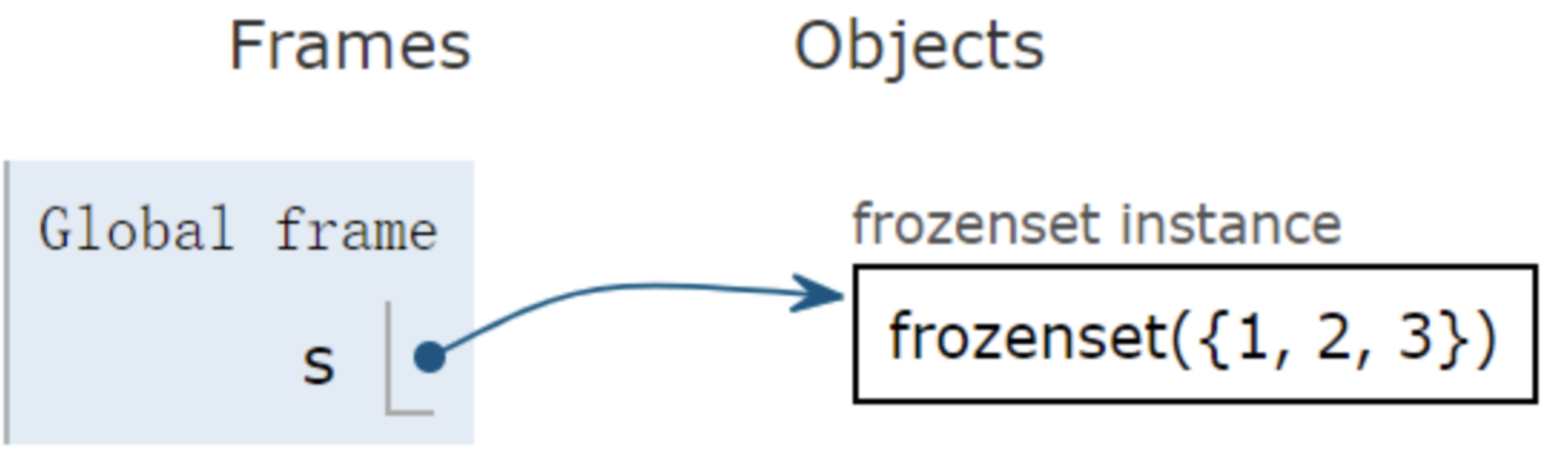
frozenset([iterable]) 创建一个不可修改的冻结集合,一旦创建不允许增删元素。
1 2 3 >>> s = frozenset ([1 , 1 , 3 , 2 , 3 ])>>> sfrozenset ([1 , 2 , 3 ])
普通集合set创建后,是可以增删元素。
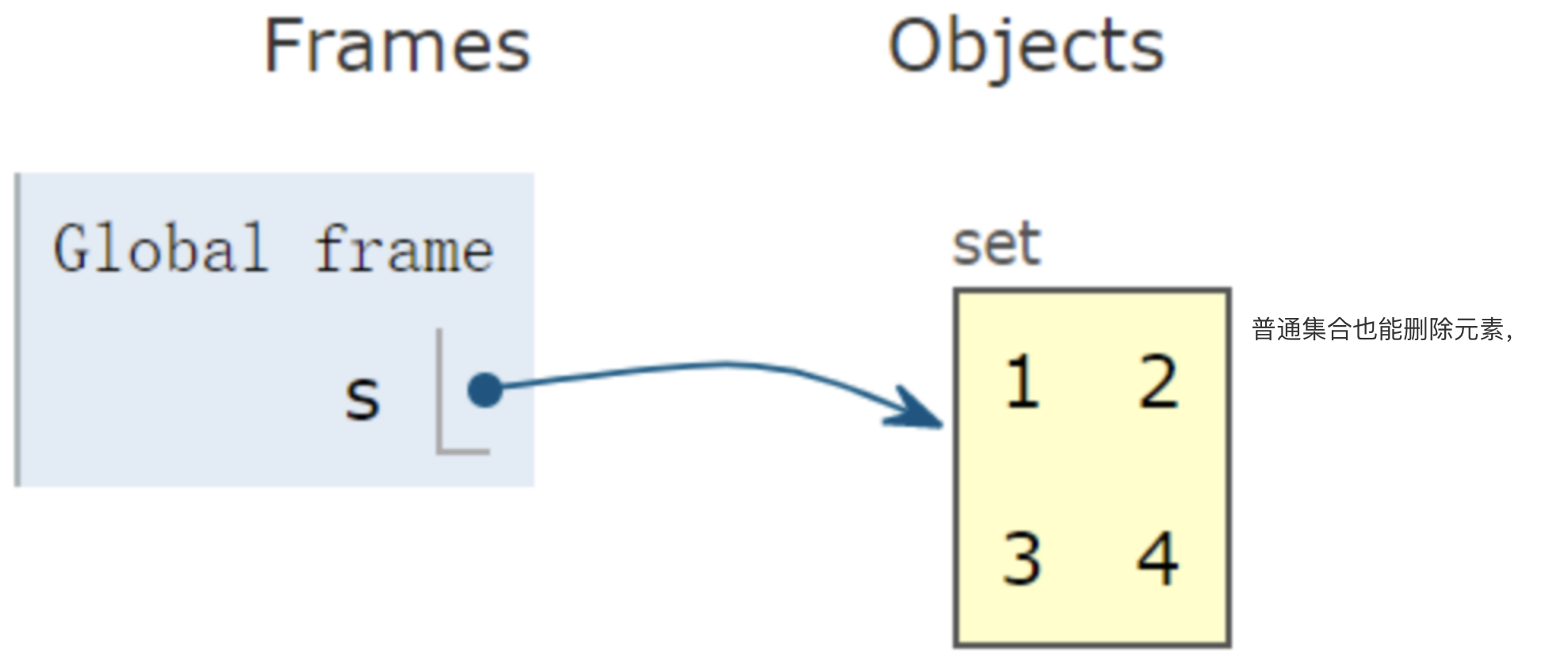
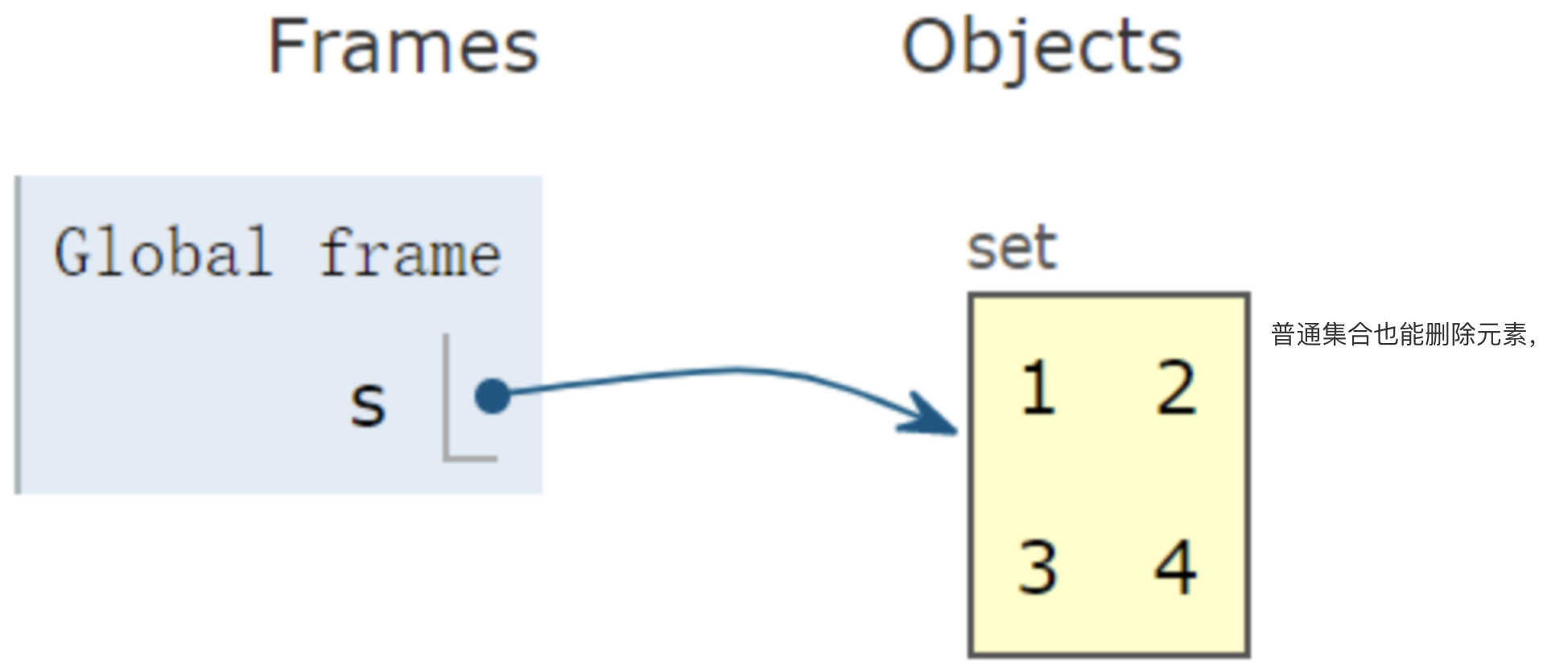
创建一个普通集合s:
创建 s 后,仍然能通过 add 方法,再插入元素:
1 2 3 >>> s.add(4 )>>> sset ([1 , 2 , 3 , 4 ])
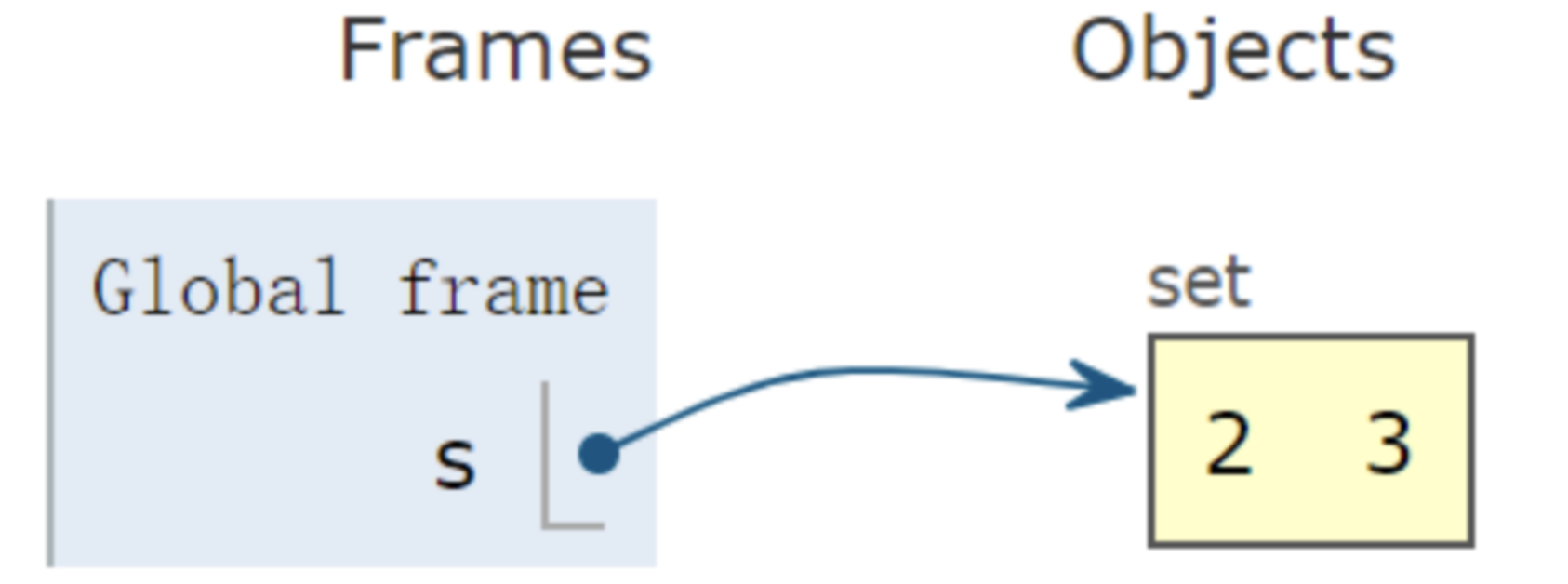
普通集合也能删除元素,使用 pop 方法移除集合的第一个元素:
1 2 3 4 5 >>> s = {1 , 2 , 3 }>>> s.pop()1 >>> sset ([2 , 3 ])
list([iterable]) 返回可变序列类型:列表。如下,集合类型转列表:
1 2 3 >>> s = {1 , 2 , 3 }>>> list (s)[1 , 2 , 3 ]
list函数还常用在,可迭代类型(Iterable)转化为列表。
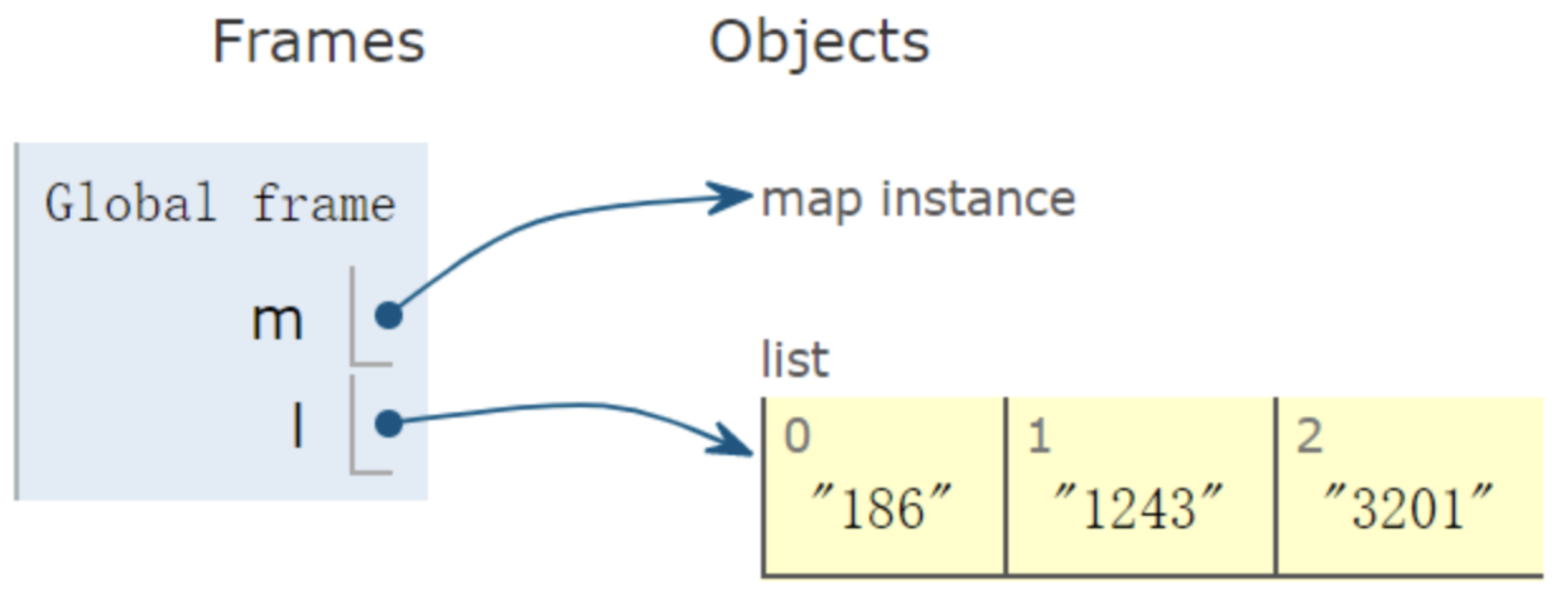
如下,使用map函数,转化列表内每一个整形元素为字符串型。
m是可迭代类型,经过list转化后,看到列表l。
1 2 3 4 >>> m = map (lambda i:str (i), [186 , 1243 , 3201 ])>>> l = list (m)>>> l['186' , '1243' , '3201' ]
相似的一个例子:
1 2 >>> list (map (lambda x: x%2 ==1 , [1 , 3 , 2 , 4 , 1 ]))[True , True , False , False , True ]
range(stop) Python 提供两个内置的 range 函数,生成不可变序列:
range(stop)
range(start, stop[,step])
1
2
3
4
5
6
7
8
>>> range (11 )[0 , 1 , 2 , 3 , 4 , 5 , 6 , 7 , 8 , 9 , 10 ] >>> range (0 , 11 , 2 )[0 , 2 , 4 , 6 , 8 , 10 ] >>> range (0 , 11 )[0 , 1 , 2 , 3 , 4 , 5 , 6 , 7 , 8 , 9 , 10 ]
set([iterable]) 返回一个集合对象,并允许创建后再增加、删除元素。
集合的一大优点,容器里不允许有重复元素,因此可对列表内的元素去重。
1
2
3
>>> a = [1 , 4 , 2 , 3 , 1 ]>>> set (a)set ([1 , 2 , 3 , 4 ])
slice(stop)
slice(stop)
slice(start, stop[, step])
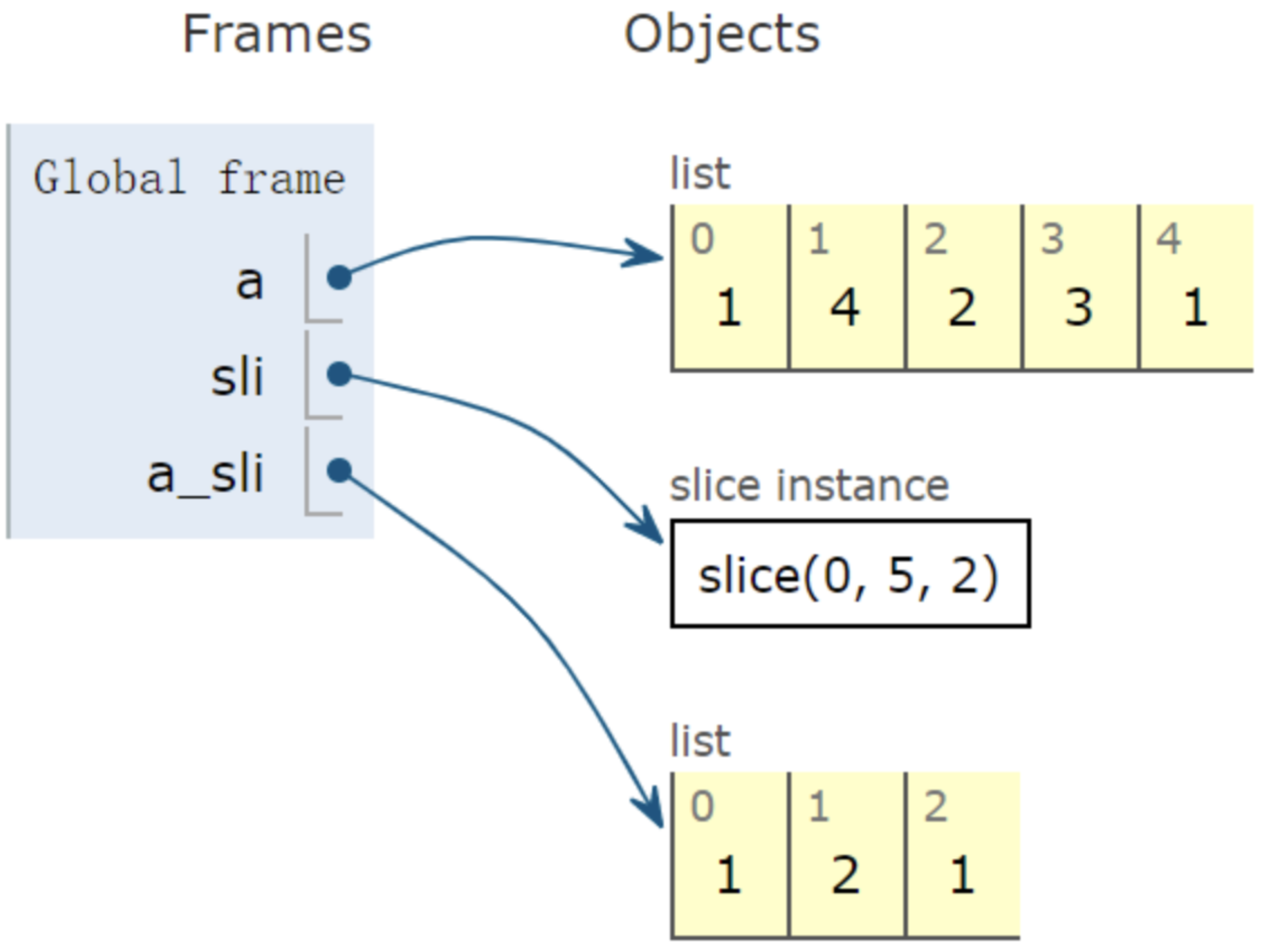
返回一个由 range(start, stop, step) 所指定索引集的 slice 对象:
1 2 3 4 5 >>> a = [1 , 4 , 2 , 3 , 1 ]>>> a[slice (0 , 5 , 2 )] [1 , 2 , 1 ] >>> a[0 :5 :2 ][1 , 2 , 1 ]
tuple([iterable]) 创建一个不可修改的元组对象:
1 2 3 >>> t = tuple (range (10 ))>>> t(0 , 1 , 2 , 3 , 4 , 5 , 6 , 7 , 8 , 9 )
type(object) 这是两个查看对象的类型的函数:
type(object)
type(name, bases, dict)
自定义类 Student,创建实例 xiaoming:
1
2
3
4
>>> class Student :... pass ... >>> xiaoming = Student()
调用 type 查看 xiaoming 的类型:
1 2 >>> type (xiaoming)<type 'instance' >
type 函数是非常实用的,阅读他人代码时,若函数参数类型没有显示给出,就会用到 type 函数。
1 2 >>> type ((1 , 2 , 3 ))<type 'tuple' >
zip(*iterables) 创建一个迭代器,聚合每个可迭代对象的元素。
参数前带 *,意味着是可变序列参数,可传入 1 个,2 个或多个参数。
传入 1 个参数:
1 2 3 4 5 >>> for i in zip ([1 , 2 ]):... print (i)... (1 ,) (2 ,)
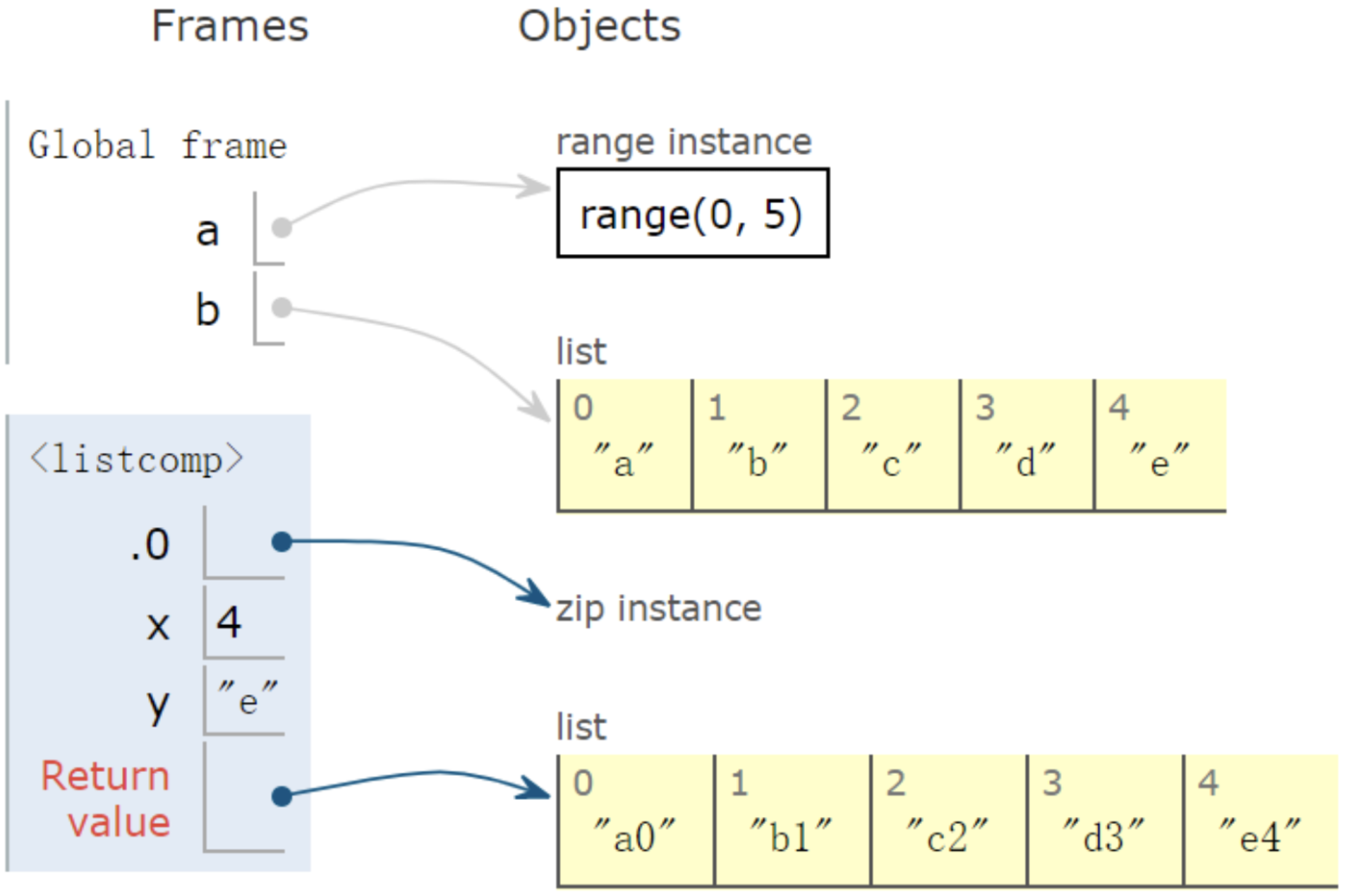
传入2个参数:
1 2 3 4 5 6 >>> a = range (5 )>>> b = list ('abcde' )>>> b['a' , 'b' , 'c' , 'd' , 'e' ] >>> [str (y) + str (x) for x, y in zip (a, b)]['a0' , 'b1' , 'c2' , 'd3' , 'e4' ]
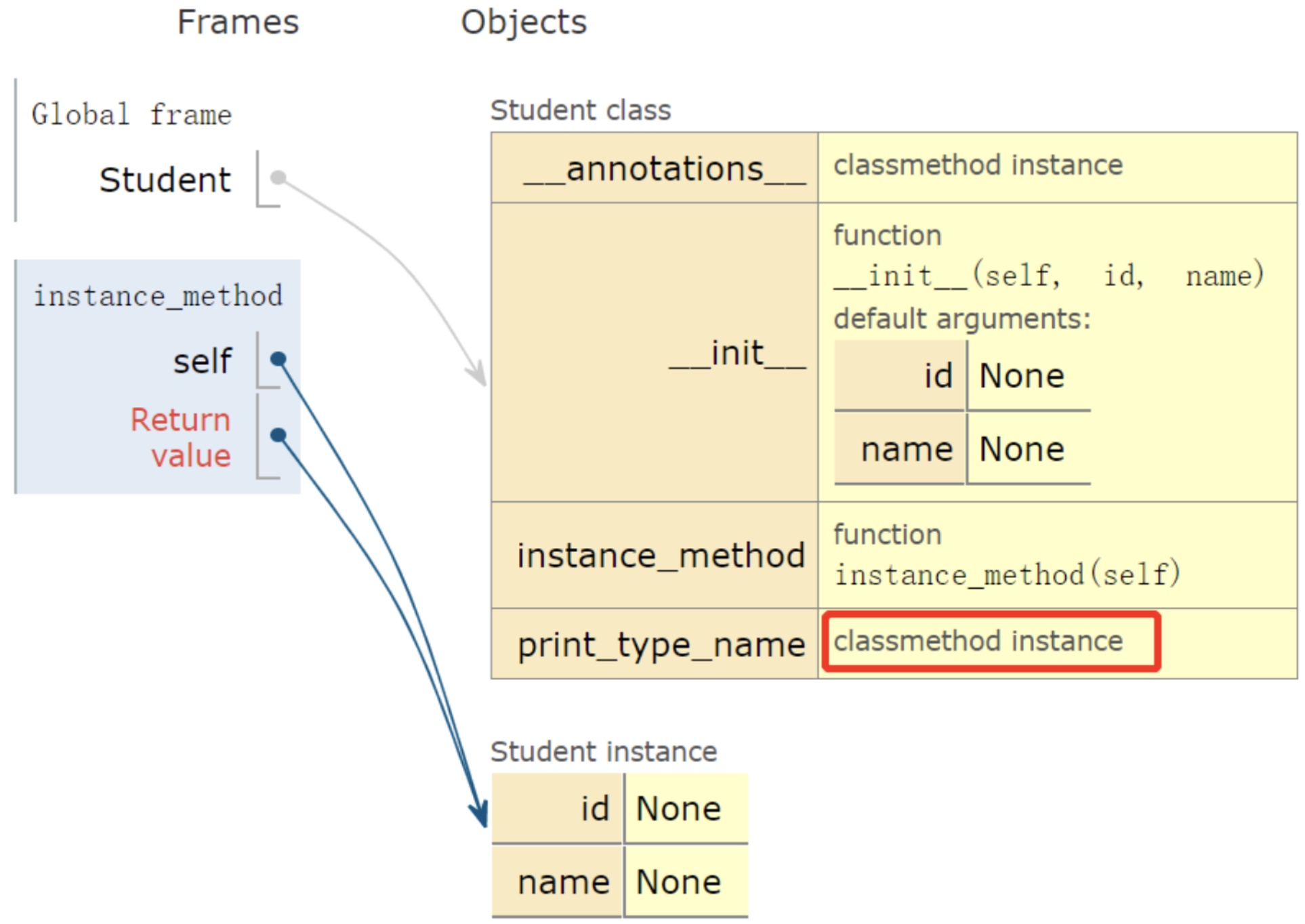
类对象及属性 classmethod classmethod 修饰符对应的函数不需要实例化,不需要 self 参数。
第一个参数需要是表示自身类的 cls 参数,能调用类的属性、方法、实例等。
1 2 3 4 5 6 7 8 9 10 11 12 13 14 15 16 17 18 19 20 class Student (object ): def __init__ (self, id =None , name=None ): self .id = id self .name = name def instance_method (self ): print ("这是实例方法" ) return self @classmethod def __annotations__ (cls ): return "学生类" @classmethod def print_type_name (cls ): print ("这是类上的方法,类名为:%s,注解为:%s" % (cls.__name__, cls.__annotations__())) Student().print_type_name() Student().instance_method()
执行结果
1 2 3 /usr/bin /python3 /Users/lvjing/python-project/test_platform/test.py 这是类上的方法,类名为:Student,注解为:学生类 这是实例方法
delattr(object, name) 删除对象的属性,在不需要某个或某些属性时,这个方法就会很有用。
1 2 3 4 5 6 7 8 9 10 11 12 13 >>> class Student ():... def __init__ (self, id =None , name=None ):... self .id = id ... self .name = name... >>> xiaoming = Student(1 , 'xiaoming' )>>> delattr (xiaoming, 'id' )>>> xiaoming.id Traceback (most recent call last): File "<stdin>" , line 1 , in <module> AttributeError: Student instance has no attribute 'id' >>> hasattr (xiaoming, 'id' )False
dir([object]) 不带参数时,返回当前范围内的变量、方法和定义的类型列表;带参数时返回参数的属性、方法列表。
1 2 >>> dir (xiaoming)['__doc__' , '__init__' , '__module__' , 'name' ]
getattr(object, name[, default]) 获取对象的属性:
1 2 3 4 5 6 7 8 >>> class Student ():... def __init__ (self, id =None , name=None ):... self .id = id ... self .name = name... >>> xiaoming = Student(1 , 'xiaoming' )>>> getattr (xiaoming, 'name' )'xiaoming'
hasattr(object, name) 判断对象的属性是否存在
1 2 3 4 5 6 7 8 9 10 >>> class Student ():... def __init__ (self, id =None , name=None ):... self .id = id ... self .name = name... >>> hasattr (xiaoming, 'name' )True >>> delattr (xiaoming, 'id' )>>> hasattr (xiaoming, 'id' )False
isinstance(object, classinfo) 判断 object 是否为类 classinfo 的实例,若是,返回 true。
1 2 3 4 5 6 7 8 >>> class Student ():... def __init__ (self, id =None , name=None ):... self .id = id ... self .name = name... >>> xiaoming = Student(1 , 'xiaoming' )>>> isinstance (xiaoming, Student)True
序列类型的基类为 Iterable,所以返回 True:
1 2 3 >>> from collections import Iterable>>> isinstance ([1 ,2 ,3 ],Iterable)True
issubclass(class, classinfo) 如果 class 是 classinfo 类的子类,返回 True:
1 2 3 4 5 6 7 8 9 10 11 12 13 14 15 16 17 >>> class Student ():... def __init__ (self, id =None , name=None ):... self .id = id ... self .name = name... >>> class undergraduate (Student ):... def studyClass (self ):... pass ... def attendActivity (self ):... pass ... >>> issubclass (undergraduate, Student)True >>> issubclass (object , Student)False >>> issubclass (Student, object )False
classinfo 取值也可能为元组,若 class 是元组内某个元素类型的子类,也会返回 True:
1 2 >>> issubclass (int , (int , float ))True
property(fget=None, fset=None, fdel=None, doc=None) 返回 property 属性。不适用装饰器,定义类上的属性:
1 2 3 4 5 6 7 8 9 10 11 12 13 14 15 16 class Student (object ): def __init__ (self ): self ._name = None def get_name (self ): return self ._name def set_name (self, val ): self ._name = val def del_name (self ): del self ._name name = property (get_name, set_name, del_name, 'name property' )
显示的调用 property 函数定义类上的属性:
1 2 3 xiaoming = Student() xiaoming.name = 'xiaoming' print (xiaoming.name)
使用 Python 装饰器 @property,同样能实现对类上属性的定义 ,并且更简洁:
1 2 3 4 5 6 7 8 9 10 11 12 13 14 15 16 17 18 19 20 class Student (object ): def __init__ (self ): self ._name = None @property def name (self ): return self ._name @name.setter def name (self, val ): self ._name = val @name.deleter def del_name (self ): del self ._name xiaoming = Student() xiaoming.name = 'xiaoming' print (xiaoming.name)
super([type[, object-or-type]]) 返回一个代理对象,它会将方法调用委托给 type 的父类或兄弟类。
如下,子类的 add 方法,一部分直接调用父类 add,再有一部分个性的行为:打印结果。
1 2 3 4 5 6 7 8 9 10 11 12 13 14 15 16 17 class Parent (): def __init__ (self, x ): self .v = x def add (self, x ): return self .v + x class Son (Parent ): def add (self, y ): r = super ().add(y) print (r) Son(1 ).add(2 )
callable(object) 判断对象是否可被调用,能被调用的对象就是一个 callable 对象,比如函数 str、int 等都是可被调用的。
1
2
3
4
>>> callable (str )True >>> callable (int )True
如下,xiaoming 实例不可被调用:
1 2 3 4 5 6 7 8 9 10 11 12 >>> class Student ():... def __init__ (self, id =None , name=None ):... self .id = id ... self .name = name... >>> xiaoming = Student('001' , 'xiaoming' )>>> callable (xiaoming)False >>> xiaoming()Traceback (most recent call last): File "<stdin>" , line 1 , in <module> AttributeError: Student instance has no __call__ method
如果 xiaoming 能被调用,则必须要重写 Student 类上 __call__方法:
1 2 3 4 5 6 7 8 9 10 11 12 class Student (): def __init__ (self, id , name ): self .id = id self .name = name def __call__ (self ): print ('I can be called' ) print (f'my name is {self.name} ' ) xiaoming = Student('001' , 'xiaoming' ) xiaoming()
执行结果
1 2 3 4 5 /usr/bin /python3 /Users/lvjing/python-project/test_platform/test.py I can be called my name is xiaoming Process finished with exit code 0